Children with additional needs can sometimes find setting boundaries difficult. Whether it’s communication with others or managing their screen time, use this guide to help support your child’s independence.
Whenever your child goes online, they are likely to gain access to a lot of people, content or information. So, helping your child to set boundaries for themselves can ensure their online experience is positive.
If your child has additional needs, they might need support with:
Understanding what a boundary looks like;
Knowing how to set a boundary for themselves;
Recognising tools they can use to support their boundaries;
Sticking to the boundaries they set for themselves;
Giving themselves grace if they ignore their own boundary (and then starting over).
Setting boundaries together
Start any boundary-setting by working together. This is generally the stage that happens between you setting the rules without their input, and them setting the rules for themselves as adults. So, starting with collaboration shows a process they can follow to independently set boundaries in the future.
Explore the below strategies to find something that works for you and your child.
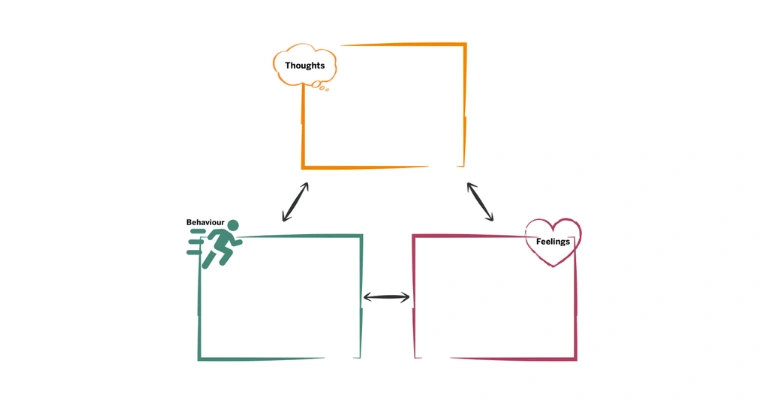
Start with activities that make them feel good – like playing games, talking to friends or creating content. Ask: when does it stop feeling good?
For example, playing online games might be fun until someone says something that upsets them. These feelings are signs that a boundary is needed.
Make a list of where boundaries are needed based on these signs and agree on what a boundary then looks like.
Some children benefit from rules that are organised or displayed visually. This could mean using pictures that relate to the boundary, but it could also mean just writing the boundary down.
Colour code, highlight or make bold certain text to help different boundaries stand out.
Discuss and write down what your child can do if they find keeping a boundary challenging.
For example, if their screen time limit runs out for the day, but they still want more time, what could they do to help them keep their boundary? Having a plan can make it easier for your child to resist pushing past the boundary.
If you’ve struggled with any boundaries that you’ve set for yourself, tell your child. This shows them that finding boundaries challenging is normal. And if you have good strategies for sticking to your boundary, share those too.
Also, if you’ve pushed past your own boundary (such as cancelling screen time limits for yourself), share that with them – especially if you’ve restarted that boundary and tried again. This can help them develop their own strategies for setting boundaries independently.
Sharing helpful tools
Most people struggle to stick with boundaries by willpower alone. Phone calendars, smart speaker reminders, minimalist launchers – there are plenty of tools to support boundary-setting.
Explore the following tools together based on the boundary being set. Encourage tests and trials until you and your child find one that works.
Algorithms on social media or video-sharing platforms can sometimes lean more negative. While viewing negative content, tap the 3 dots (settings) of the post and select ‘not interested’ (or similar) to stop seeing that content. Repeat as much as necessary.
Also, in profile settings, find content settings. You can often reset algorithms, turn off recommendations, hide keywords or even ask the algorithm to show only certain types of content (such as the STEM feed on TikTok).
Some platforms like TikTok and Instagram have screen time limits or reminders built-in to the apps that your child can use. However, they might find more success using Screen Time (Apple devices) or Digital Wellbeing (Android devices) to set screen time limits.
You can also look at turning off notifications, using a minimalist launcher or even purchasing external hardware like the Brick or WiFi blockers if your child thinks it will make it easier for them to manage boundaries.
The longer a child spends online, the more likely they will come across harmful people. While screen time limits can help a bit, it’s more important for your child to curate their friends lists and get into the habit of blocking people who turn the conversation somewhere less supportive.
Help your child decide what their communication boundary is, and when blocking, reporting or just stopping the conversation are actions they can take.
When exploring these tools, it can be helpful for you to trial them with your child. For example, if you’re both on TikTok, explore the in-app settings as well as the device settings to see what’s most successful.
If something works for them but doesn’t work for you, keep exploring. This shows your child that if the tool they chose stops working for them, they can explore alternatives.
Developing self-advocacy
Children with anxiety or rejection sensitivity can find it challenging to stand up for themselves and their boundaries. It can be hard to tell others, including close friends and loved ones, that they are crossing a boundary.
So, as a part of empowering your child to set their boundaries, explore the following actions to help them feel confident advocating for themselves.
Discuss or roleplay scenarios where someone pressures them. This could be to share personal information, send a nude image, view inappropriate content or take a harmful action (such as meeting offline).
Decide on ‘go to’ phrases they can use to shutdown people pushing their boundaries such as ‘No, I’m not comfortable with that’ or ‘I need to ask my dad/mum first’.
If you are letting your child set their own boundaries, let them know they can come to you at any time for support. This includes if they’ve pushed past their boundary, gave into peer pressure or did something they weren’t supposed to.
And if they tell you something, avoid showing anger or judgement. Take time if you need to calm down, and then talk with them about what happened.
If your child feels overwhelmed, uncomfortable, confused or otherwise upset, this is their body telling them to stop. When their experience no longer feels fun or positive, encourage them to stop using their device and take a pause and talk to you.
Let them know that they have the power to stop unsafe experiences online by stepping away.
Check-in and continue practising different scenarios even after your child feels confident. These may become less frequent as they become more independent but regular check-ins help them know that while they can advocate for themselves, you’re always there for them and ready to help.






 Close video